The Ultimate Guide to AI Workflow Automation for Business Growth
Stuck in endless administrative processes and not enough strategic thinking? Many business owners and managers are plagued by manual processes that suck the productivity out of their teams. But AI workflow automation is an effective solution to this common issue. Using artificial intelligence for routine tasks enables you to streamline complex tasks while eliminating aggravating human errors. This frees up your team to concentrate on innovative projects that impact revenue and it will impact revenue. The all-inclusive handbook covers everything you need to know to roll out these powerful systems and transform your workflow.
Understanding AI Workflow Automation

How AI Improves Traditional Automation
Businesses are undergoing a massive transformation in how they operate daily through AI workflow automation. Conventional software automation follows fixed routes and must be manually adjusted whenever the situation changes. This is where AI becomes useful, as it gives software systems cognitive abilities. However, AI requires more than simply following rigid rules. An intelligent AI automation tool must be able to read, understand, and make decisions using complex datasets.
Thus, these contemporary systems can be rather flexible and more useful over time. They can access invoice information to find key facts. They can also prioritize customer tickets and share important data with the correct team. Therefore, businesses can manage a heavy workload without hiring extra administrative personnel. Furthermore, they can use complex machine learning algorithms to become more precise over time by evaluating more details. These intelligent practices can give your small business or large company a definite competitive edge.
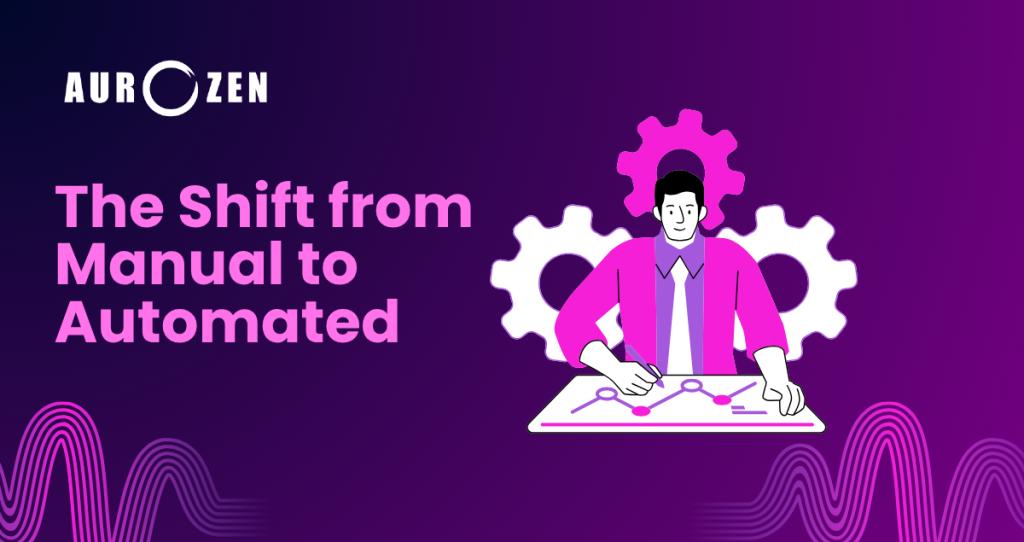
The Shift from Manual to Automated
Overcoming Resistance to Automation
The shift from manual processes to automated ones must start with an approach to your processes.Many managers are reluctant to delegate key responsibilities to software systems. However, this concern is usually temporary and is often replaced by enthusiastic adoption once the technology proves successful. Unlike humans, software does not get tired and can process thousands of data points just as efficiently at midnight as it does at noon. This way, you keep your business running at full speed even when you’re not at work.
The Core Benefits of an AI Automation Tool
By shifting employees from manual data entry to intelligent systems, businesses can improve efficiency across the entire organization. These tools save valuable time and help companies improve their operations in the long term. Software can handle repetitive tasks, allowing employees to focus on creative and strategic work instead. In addition, manual data entry often leads to errors because the work is repetitive and distracting. By automating record-keeping and customer communication, businesses can reduce costly mistakes and keep records and messages accurate.

There’s the initial investment of time and energy required to create an AI workflow builder, but the payoff is absolutely huge. You’re able to save time and money by reducing labor-intensive administrative tasks. AI learns much faster than humans, can process large amounts of information within seconds, and provides leadership with real-time insights for decision-making. Thus, managers receive precisely the data they need to make smarter and quicker business decisions.
In the end, eliminating monotonous busywork from employees’ daily activities makes work more satisfying and helps employees stay engaged.
Top AI Workflow Automation Platforms for Business
Selecting the right software needs is a definite component of overall automation success. There are various AI workflow automation software solutions in the current marketplace, with considerable industry-specific variation. It is important to carefully consider your budget, technical skill, and long-term objectives before deciding on a particular ecosystem. Fortunately, the entry barrier is as low as it has ever been, owing to the increasing number of user-friendly, accessible applications.

Free Workflow Automation Tools

Simple Automations for Beginners
If you are just starting your automation quest, you may not want to purchase an expensive, long-term software subscription right away. Thankfully, you can test the waters without the risk of having to choose one of the many quality free workflow automation developers who have built great free tools. Platforms like Zapier and Make also offer ample free plans so you can connect with the primary apps you use every day. See a couple of simple triggers, such as saving email attachments to the cloud or getting a virtual ping when a new lead appears. This presents an opportunity for small business owners to gain some advantages from AI without paying anything.
Scaling Up with an N8n AI Workflow Builder

Advanced Customization and AI Integration
If absolute control is what an engineering team or tech-savvy manager is looking for, then n8n AI workflow builder is a really amazing option. It’s an open-source, flexible platform designed for developers who want to peek under the hood. Using n8n, you can run the entire software stack on your own private servers, which is something you can’t do on other platforms. This self-hosting capability ensures total data security, a key requirement for healthcare or financial institution systems that handle sensitive information. Moreover, it integrates smoothly with highly sophisticated machine learning models, enabling the construction of complex processes on the platform that others, except the commercial one, cannot.
Enhancing Output with a Gemini AI Workflow
Google’s recent AI breakthroughs have presented new avenues for automating business communication. You have access to the best in NLP by seamlessly adding a Gemini AI workflow to your workflow. For instance, you can create a system that captures incoming customer complaints, identifies customer sentiment, drafts an empathetic reply and achieves high accuracy. This particular integration cuts communication time short and maintains complete brand consistency. Your customer service staff doesn’t need to write the message; they can simply review and approve or make minor edits.

How to Choose the Perfect AI Workflow Builder
Selecting an appropriate software base for your organization, as well as your tech literacy, is very important. First, be honest and self-evaluate your team’s coding talent.
When there is no prior programming experience on your team, the platform should have a visual, drag-and-drop interface that requires no coding. But if you have a separate in-house development team, you will find the possibilities that come with open-source platforms as many as you wish for.

Second, it’s essential to fully analyze the platform’s third-party integrations. You will need to get a tool that integrates with the applications you’re already paying for, such as your customer relationship management system and project tracking software. Last but not least, thoroughly review the site’s long-term pricing policy. Make sure the software works for your company and remains cost-effective as your automated task list expands; many software products have a limit on how many tasks they can automate per month, after which a high cost applies if you exceed that limit.
If your agency is ready to automate more complex processes, AI workflow automation can help connect your tools, teams, and customer journeys into one scalable system.
Step-by-Step Implementation Guide
Introducing intelligent automation doesn’t need to be overwhelming or stressful for your team. The key to the massive project is that it’s broken into smaller, manageable steps that can be launched to get your first successful sequence up and running virtually as soon as possible. Firstly, observe your regular administrative tasks for an entire week. Make a list of all the individual tasks that you do again and again: entering client information into a spreadsheet, formatting weekly reports. These repeatable, routine jobs are ideal candidates for your first automation project.
If you’re building an AI automation agency, learning how to get your first clients is just as important as building the automation itself.
Mapping Out Your Processes
Before even opening the software, it is important to have a physical notepad and plan out the exact sequence of events. Step 1 is to define what event you would like to use to start the artificial intelligence. Then, write a detailed paragraph explaining each and every action that has to take place after the initial trigger fires. For instance, when a new prospect visits your website and submits a form, the system should take action immediately. Some of the steps that follow may involve lead scoring with artificial intelligence, capturing the contact information into your database, and sending a very personalized welcome email.
With a crystal-clear operational map in hand, one can log in to the desired automation platform. Secure all third-party accounts and grant them the appropriate permissions for the software. Carefully follow your map to assemble the sequence in the computer; be sure to test each step independently before continuing. Many modern platforms offer very good visual testing environments that make it really easy to identify errors. Once the system is turned on, it will need to be watched closely for several weeks to identify any minor edge cases the artificial intelligence fails to pick up on.
Tackling Common Implementation Issues
The advantages of intelligent software in financial and other operational areas are truly vast; after all, there are many complications in implementing intelligent software. The absolute change is the most common internal resistance change management deals with when deploying. The fear of job replacement or low System acceptance due to concerns about AI tools’ capabilities changing over time. The concern that AI systems will eventually replace workers is a real issue and may lead to fears and low acceptance of AI systems. What’s needed to conquer this natural worry is to communicate with the entire team in a completely transparent way. Show them how these tools will take the most mundane and time-consuming tasks out of their daily tasks.
Managing Data Security
Like everything else, data security is an incredibly important issue for businesses embarking on new technologies. When you connect multiple applications with software together, very sensitive business data can easily flow online between applications. That is, you can only choose those platforms that are compliant with the rigorous security criteria, like SOC 2 or GDPR. Regularly scans your online activity for weaknesses that could lead to the unintentional release of important customer data. Security is incorporated and integrated throughout the process, enabling users to grow their automated solutions safely and with confidence.
Conclusion
AI-driven workflow automation is no longer a luxury afforded to mega companies with diverse global operations. Presently, it is one of the foremost and vital approaches that any enterprise must adopt to run efficiently in a competitive environment. The ability to grasp the underlying technological principles and the careful consideration of the optimum platforms can set you free from the frustration of thousands of lost hours. You may want to try free workflow automation software or use a highly customizable system with an n8n infrastructure. No matter which you choose, the keyword is today. Be sure to review your workflow, uncover the largest operational delays, and have AI lead the way for your business.